Outline
One concern I had while setting up logrotate was that although it was confirmed that logs could be received without loss through logrotate, the question was how fluentbit would recognize the newly created log files through logrotate.
Since fluentbit also recognizes files registered to fd once based on inode, I had to notify fluentbit about the newly created files through logrotate.
Therefore, I started to think about various ways to notify fluentbit that a new file was created without losing logs.
Body
First, I searched through the official documentation of fluentbit and was able to find related documentation in the tail plugin.
Tail | Fluent Bit: Official Manual
First, we looked at the Inotify_Watcher option, which is one of the settings of the tail plugin.

The inotify_Watcher option detects when a system call is called for a file being watched and notifies fluentbit. However, since logrotate will flush logs after calling the mv command's system call, rename, even if it detects using this method, the logs will inevitably be lost. Therefore, this method was not feasible.
So after some more searching, I found that the tail plugin documentation lists the possible uses of lgorotate.

It says that you can properly handle file rotation by utilizing copytruncate of logrotate. Also, it says to be careful that if you use a Path pattern, duplicate log collection will be done for new log files that have existing contents written during the rotation process.

After looking into the copytruncate option in the logrotate documentation, I found out that it is a log rotation method that creates a copy of an existing log file and erases the contents of the existing log file to maintain continuous references from other applications through the existing log file inode.
However, when using this option, there was a problem that if additional logs continue to accumulate in the existing file in the short period after the copy was created, logs that were not reflected in the copy would also be deleted through truncate.
logrotate, copytruncate의 함정
오늘은 logrotate에 대해 이야기해볼까 합니다. logrotate 중에서도 copytruncate라는 옵션에 대해서 이야기하려고 합니다. 아주 매력적인 copytruncate 옵션이 가지고 있는 장점과 단점에 대해 살펴보겠습
brunch.co.kr
The above article recommends using the signal provided by each application instead of copytruncate, and among them, it says to use the signal that reopens the file.
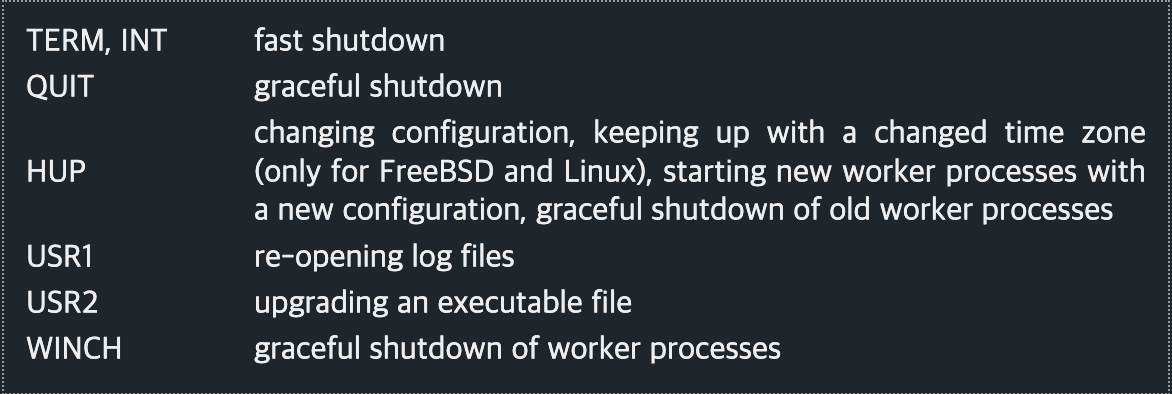
Controlling nginx
Controlling nginx nginx can be controlled with signals. The process ID of the master process is written to the file /usr/local/nginx/logs/nginx.pid by default. This name may be changed at configuration time, or in nginx.conf using the pid directive. The ma
nginx.org
For example, nginx uses the USR1 signal, so I looked up the USR1 signal, and it was a signal to reopen the log file.
I searched to see if Fluentbit had something like that. There wasn't anything like that, but I saw a document related to the Hot Reload system, which is a system I've seen a lot while working on projects before.
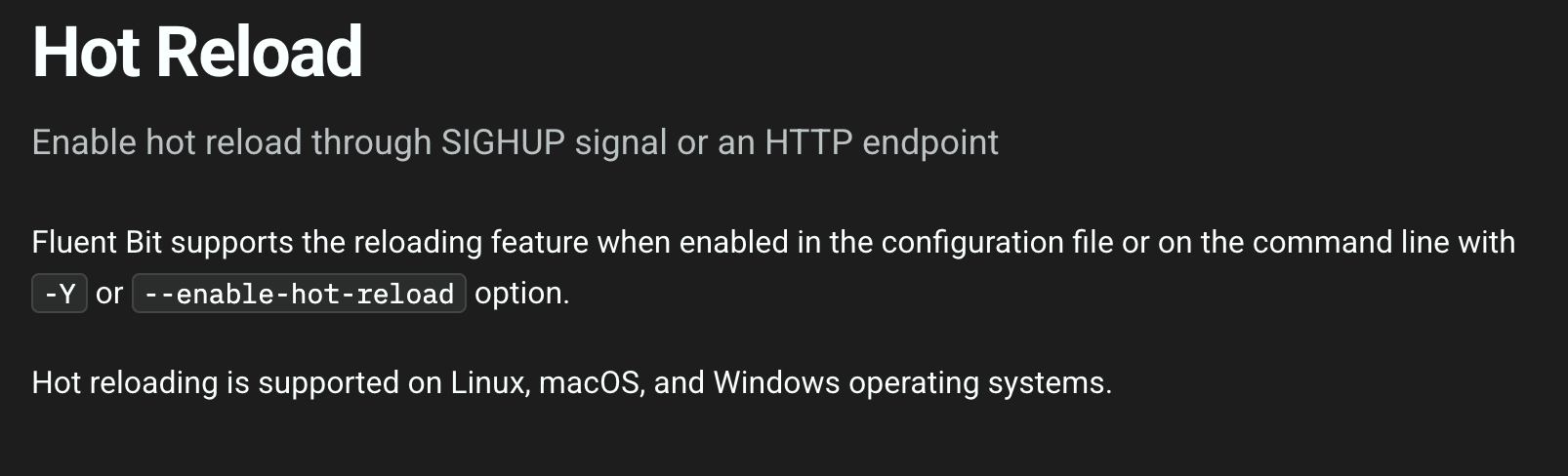
Hot Reload | Fluent Bit: Official Manual
Hot Reload | Fluent Bit: Official Manual
Enable hot reload through SIGHUP signal or an HTTP endpoint
docs.fluentbit.io
Fluentbit's Hot Reload is said to be responsible for re-refreshing the configuration file. In fact, you can see that the config is changed by looking at the source code.
https://github.com/fluent/fluent-bit/blob/d6c4b3d360100907726f22515a24c80e6c39f345/src/flb_reload.c
fluent-bit/src/flb_reload.c at d6c4b3d360100907726f22515a24c80e6c39f345 · fluent/fluent-bit
Fast and Lightweight Logs, Metrics and Traces processor for Linux, BSD, OSX and Windows - fluent/fluent-bit
github.com
I thought that if I use this, it will probably have the same function as the USR1 signal of Nginx written by the author above. When the configuration is reconfigured, the tail plugin will also be reconfigured, and in this process, previously opened files will be closed and reopened.
However, in my environment, Hot Reload will be performed three times in a row to update the General Log, Slow Log, and Error Log. Therefore, I judged that this method does not fit the current situation because I judged that the system would be subject to a lot of I/O load during the process of Hot Reloading multiple times.
As a result, the Refresh_Interval option was ultimately chosen.

The tail plugin uses the Refresh_intreval option by default, which indicates the period for re-examining the currently monitored file. In simple terms, even if a new file is created, Refresh is triggered in fluentbit after 60 seconds, so that the newly created file can be found and all logs can be collected without losing any logs.
However, if this option is used, there is also a disadvantage that newly created log files cannot be detected through logrotate for at least 60 seconds, and if Refresh_Interval occurs continuously, it can cause a lot of load on the I/O part of the system, just like Hot Reload. However, the Refresh_Interval option is an option that must be used unconditionally from the moment the tail plugin is used.
Therefore, I thought about setting the value of the Refresh_Interval option to 1 hour instead of 60 seconds. In this way, when performing log rotation, real-time log collection for new log files can be slow by up to 1 hour. However, it can minimize resource load.
General Log, Slow Log, and Error Log are not usually important logs for system recovery, but are used to identify the cause of a problem. Binary Log, which is important for system recovery, is collected synchronously by MySQL itself, so I thought there would be no problem with increasing Refresh_Interval.
That's why I adopted the method of collecting logs asynchronously without loss in Fluentbit by setting the Refresh_Interval value to 3600.
In addition, there may be situations where delayed logs can be retrieved more quickly, so I plan to enable Hot Reload.
Appendix) Source code analysis
fluent-bit/plugins/in_tail/tail_scan.c at d6c4b3d360100907726f22515a24c80e6c39f345 · fluent/fluent-bit
Fast and Lightweight Logs, Metrics and Traces processor for Linux, BSD, OSX and Windows - fluent/fluent-bit
github.com
There was a fluentbit repository on Github, and I analyzed the code related to the refresh_interval option of the tail plugin. (Actually, I didn't need to analyze it, but I wanted to share what I learned from it.)
You don't need to look at the source code analysis that follows, but here's what I found out after the analysis:
- Fluentbit manages files that match a path pattern as a linked list.
- A glob is a function that finds files that match a specific pattern and returns them as a list.
- When Fluentbit opens a file, it opens it as readonly.
From here on, it's about the analysis.
First, the refresh_interval option triggers the flb_tail_scan_callback function to run.
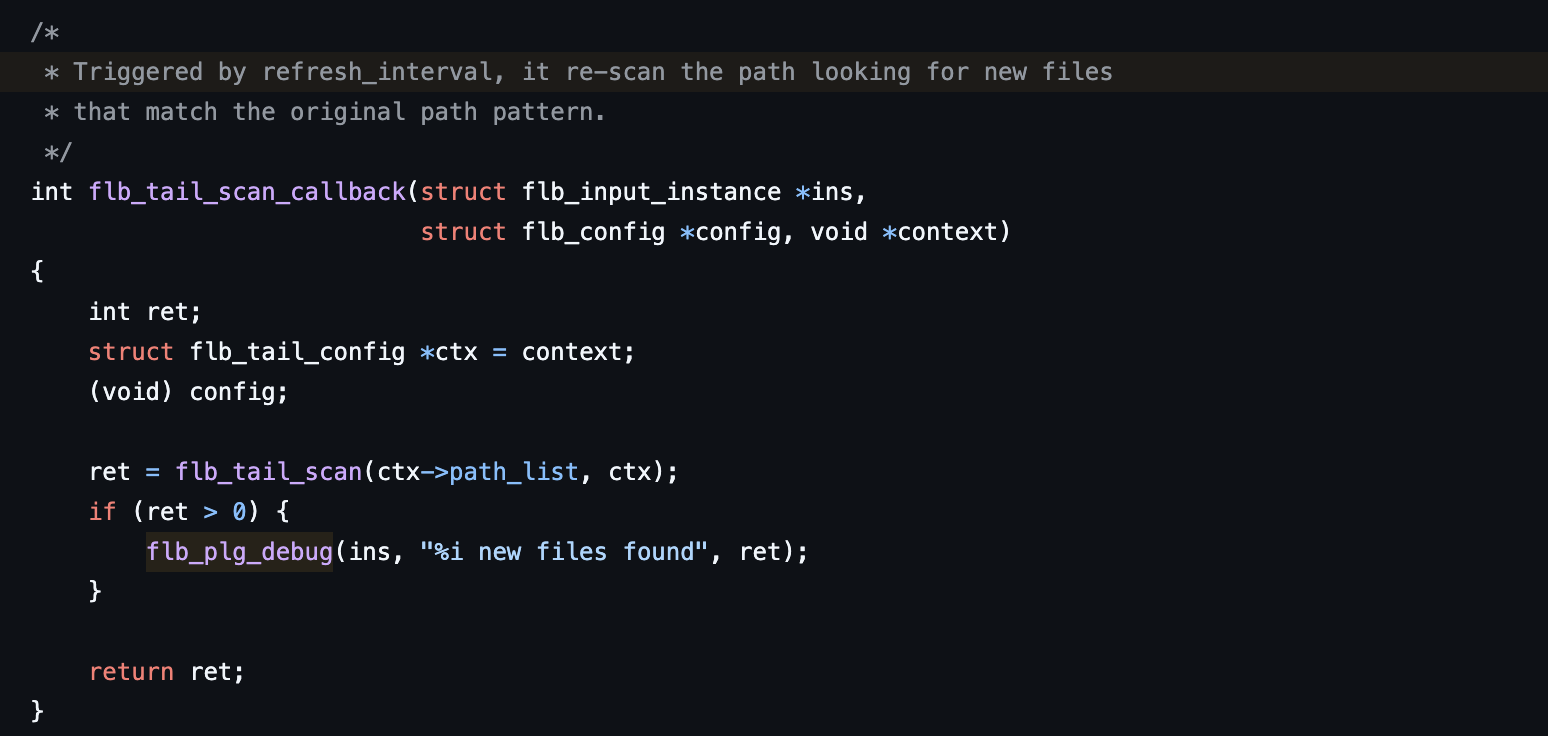
Here, the path_list list registered in the context is scanned via flb_tail_scan.
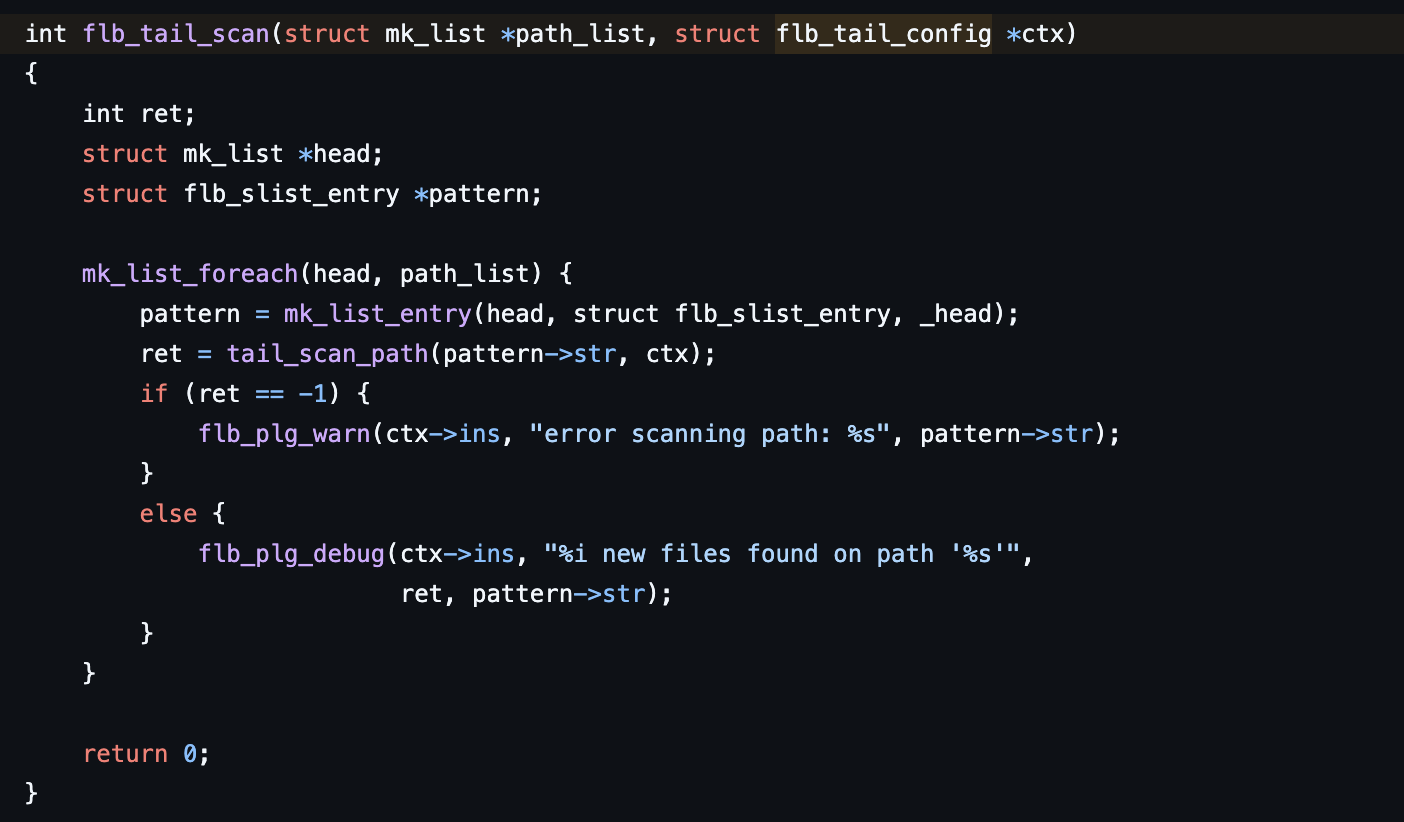
The tail_scan_path function is executed and returns a list of files that match the pattern via glob.

The results of scan are divided into four cases.
GLOB_NOSPACE: A message that occurs when there is no memory space to allocate the buffer to store the file list in order to perform GLOB.
GLOB_ABORTED: A message that occurs when fluentbit does not have permission to access the path in the GLOB section.
GLOB_NOMATCH: A message that occurs when there is no GLOB result. In this case, the path is accessed again (in case the file name is explicitly written instead of a wildcard pattern). If it still cannot be accessed, an error is returned.
The last case is when a result is produced during scan.

In the last case, we check if the found lists are blacklisted and if not, we register them in the list via flb_tail_file_append.
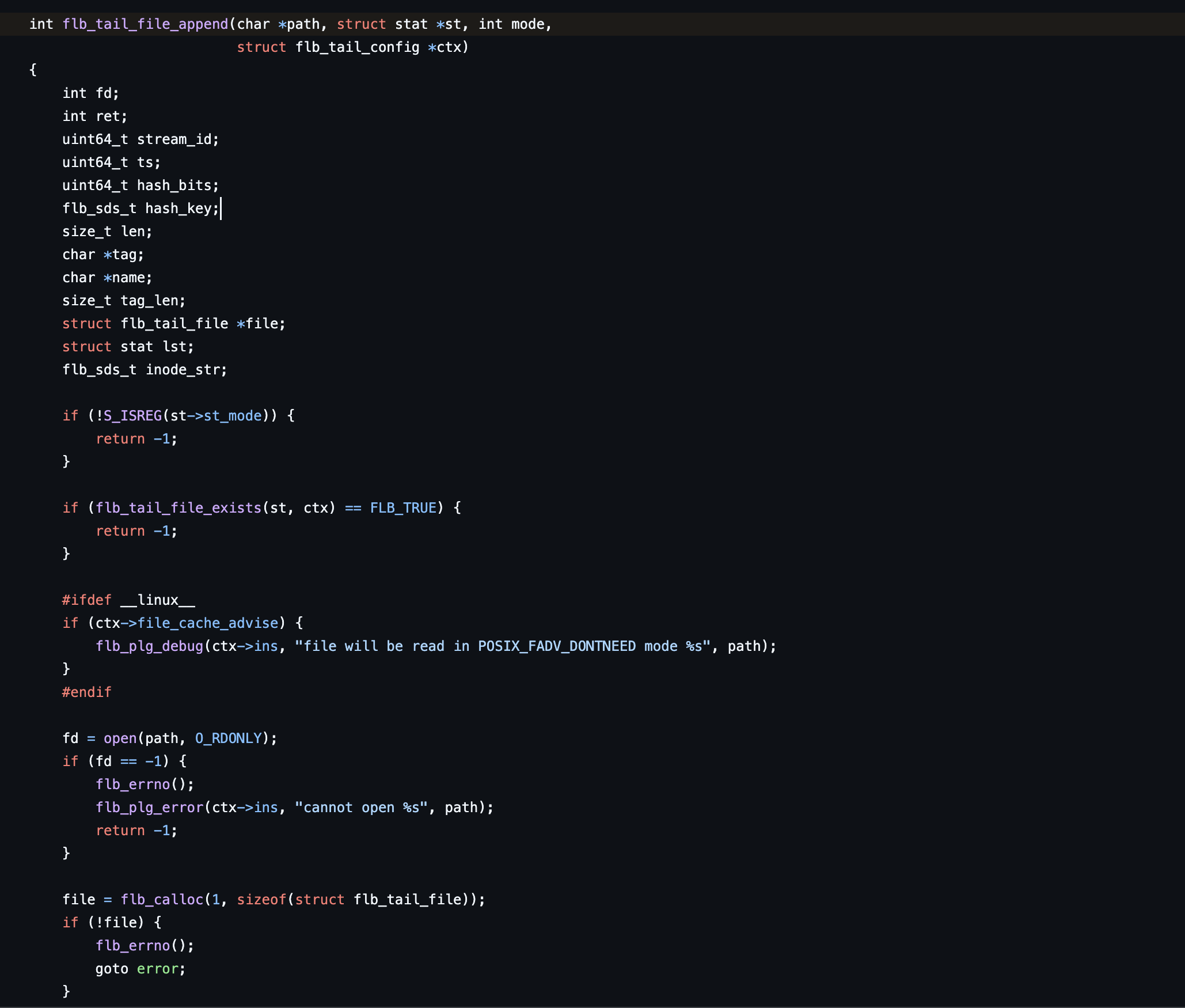
After that, the registered lists are loaded one by one and the files are read-only using the open function (registered in the fd table). After that, the basic settings are made and finally registered in the linked list that manages the entire list.