
What happens when you FLUSH LOGS and the RELOAD permission
I thought that the log file for MySQL would be continuously growing, making it difficult to check the logs later when analyzing the problem.
So I thought of a way to store the logs in segments by dividing them by date.
I looked into MySQL and found that you can restart the entire log file using the SQL Statement called FLUSH LOGS.
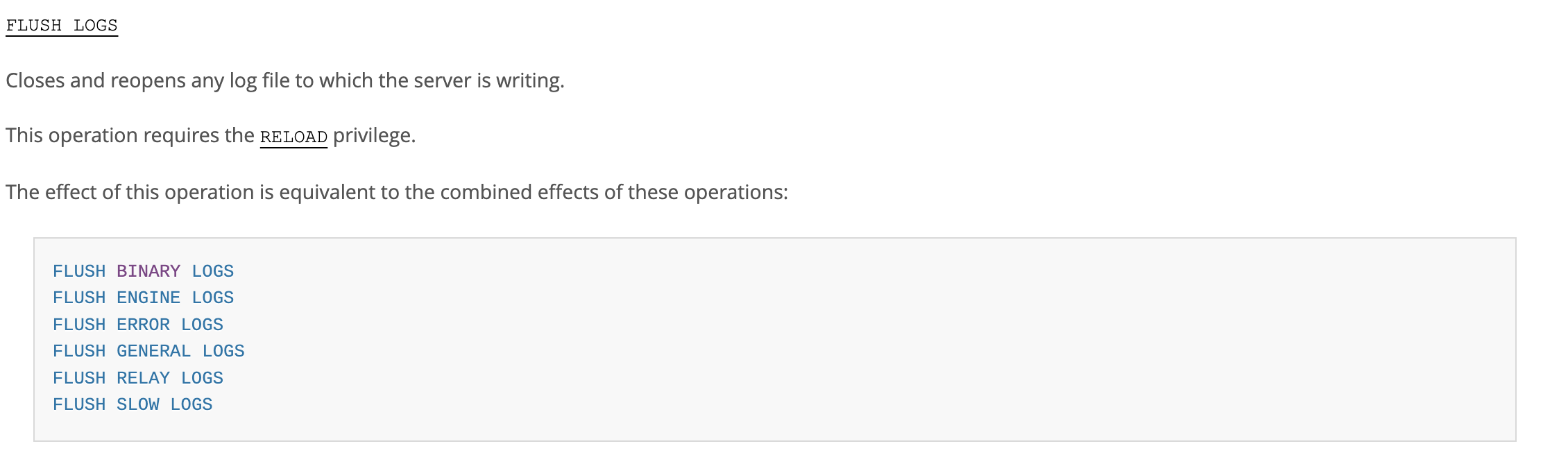
https://dev.mysql.com/doc/refman/8.4/en/flush.html
MySQL :: MySQL 8.4 Reference Manual :: 15.7.8.3 FLUSH Statement
15.7.8.3 FLUSH Statement FLUSH [NO_WRITE_TO_BINLOG | LOCAL] { flush_option [, flush_option] ... | tables_option } flush_option: { BINARY LOGS | ENGINE LOGS | ERROR LOGS | GENERAL LOGS | LOGS | PRIVILEGES | OPTIMIZER_COSTS | RELAY LOGS [FOR CHANNEL channel
dev.mysql.com
And when FLUSH LOGS is executed, the subsequent response is said to vary depending on the type of log. (I was planning to extract only Binary Log, Error Log, and Slow Query Log, so I will only describe that part.)
1. General Log, Error Log, Slow Query Log: The log files are simply closed and opened (more precisely, they are deleted from the fd table and re-registered). Therefore, if you want to get separate log files by date, you have to rename the files. If you rename the files, the MySQL process will recognize that the corresponding log files do not exist, create new log files, and record subsequent logs there.
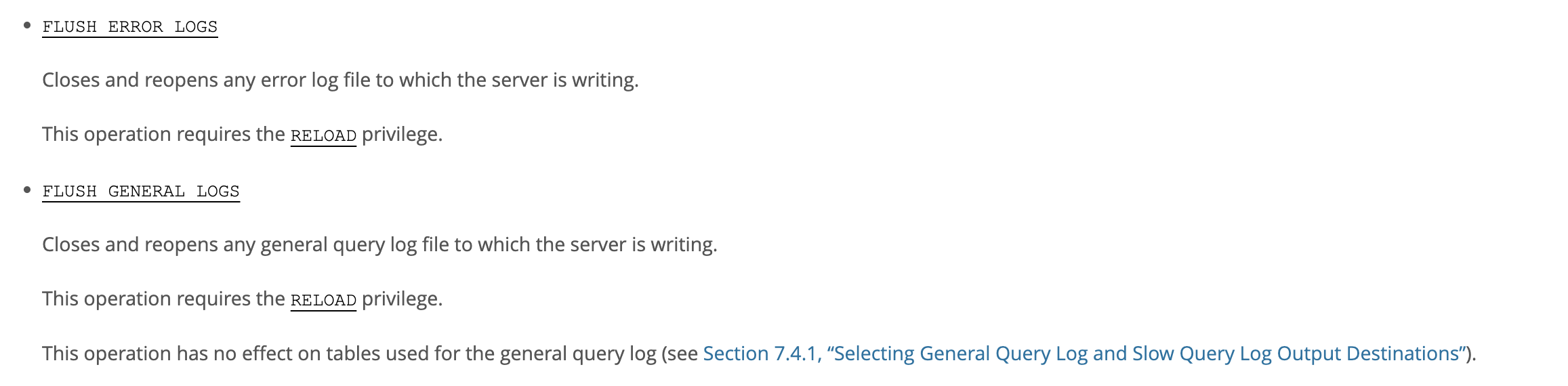

2. Binary Log: Unlike the General Log, Error Log, and Slow Query Log, it is not simply closed and opened. Instead, a Binary Log file with a name that adds 1 to the existing sequence number is created and subsequent logs are recorded there.

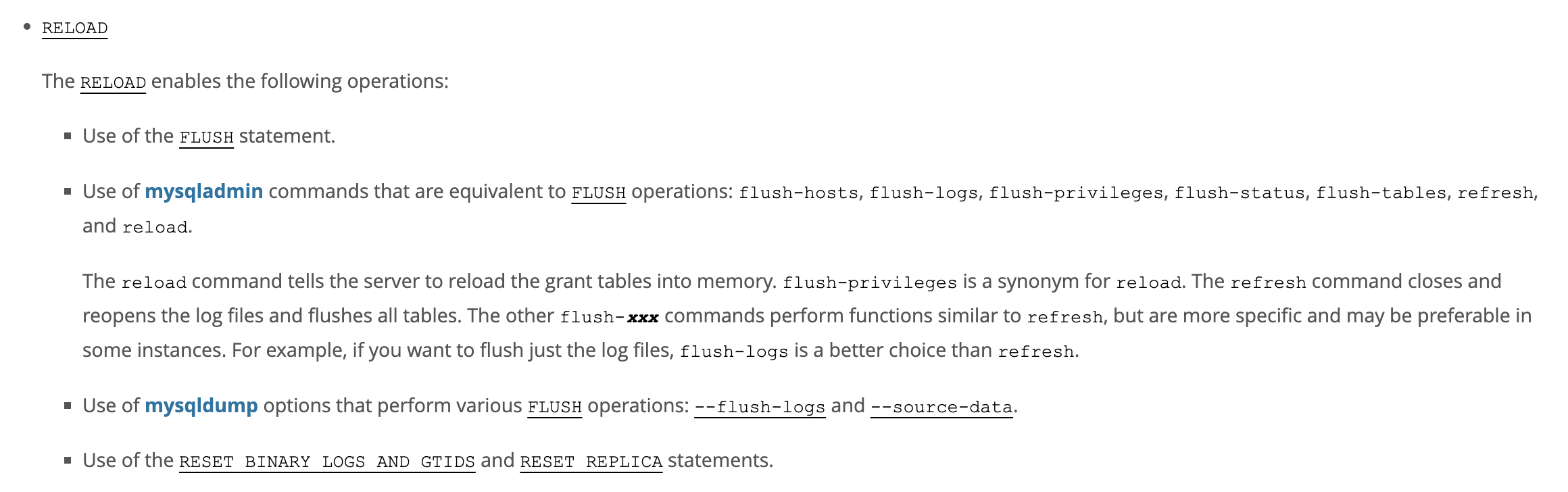
And it says that RELOAD permission is commonly required.
After looking into RELOAD permission, it says that it is a permission that allows you to execute SQL Statements related to FLUSH, and that SQL Statements related to DML, DCL, and DDL cannot be executed.
https://dev.mysql.com/doc/refman/8.4/en/privileges-provided.html#priv_reload
MySQL :: MySQL 8.4 Reference Manual :: 8.2.2 Privileges Provided by MySQL
MySQL 8.4 Reference Manual / ... / Security / Access Control and Account Management / Privileges Provided by MySQL 8.2.2 Privileges Provided by MySQL The privileges granted to a MySQL account determine which operations the account can perf
dev.mysql.com
You can also enter the command mysqladmin flush-logs through an account that has that privilege in mysqladmin. This command will execute the FLUSH LOGS SQL Statement.

https://dev.mysql.com/doc/refman/8.4/en/mysqladmin.html
MySQL :: MySQL 8.4 Reference Manual :: 6.5.2 mysqladmin — A MySQL Server Administration Program
6.5.2 mysqladmin — A MySQL Server Administration Program mysqladmin is a client for performing administrative operations. You can use it to check the server's configuration and current status, to create and drop databases, and more. Invoke mysqladmin li
dev.mysql.com
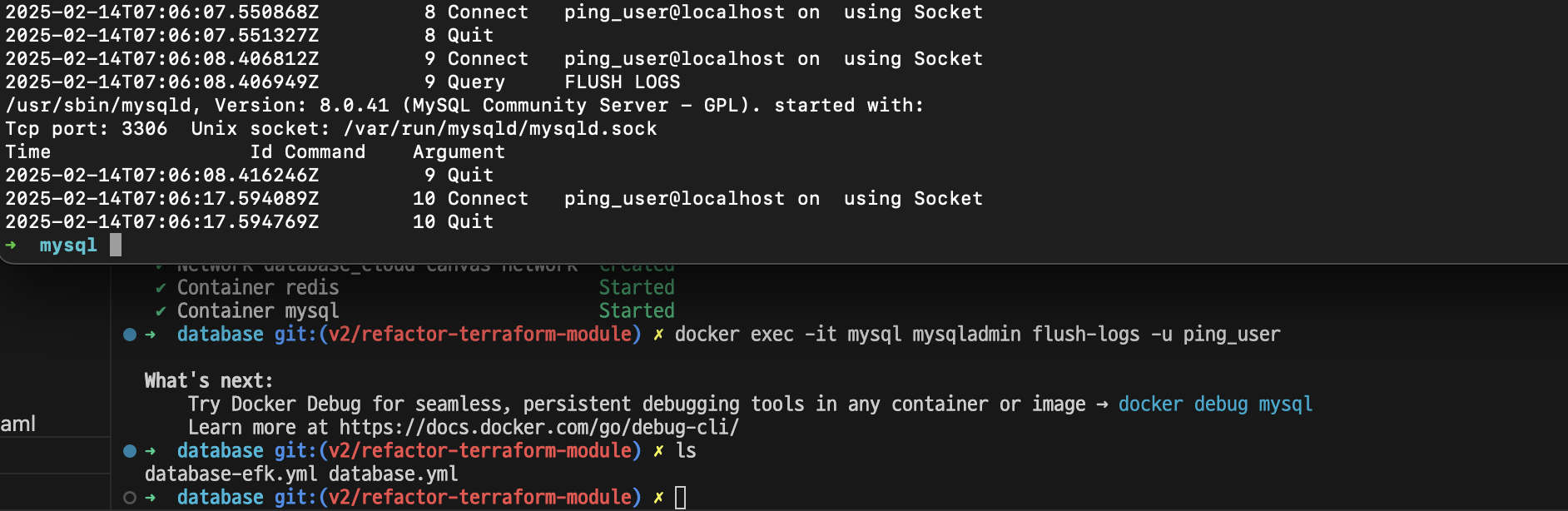
So I decided to test it. If the test succeeds, I figured that since I had previously analyzed the mysqladmin ping command and verified that it does not require any privileges, I could solve both the problem of separating the logs by date and the health check of the MySQL server without any security risks.
Test if access to previously created database is possible ⇒ Impossible
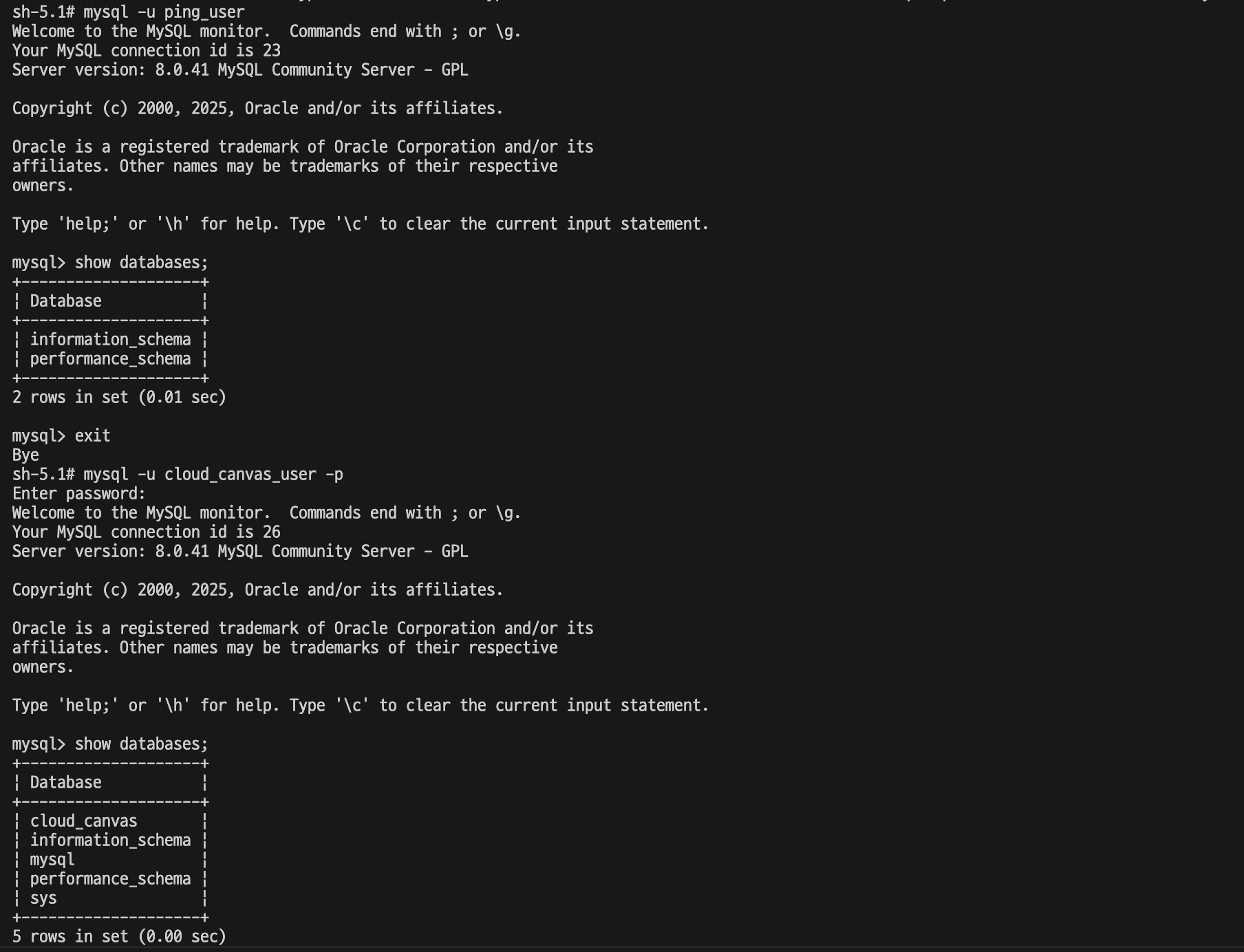
DDL test ⇒ impossible

DML test ⇒ impossible (because DDL is not possible)
DCL test ⇒ impossible (because DDL is not possible)
A note on running mysqladmin flush-logs
Through testing, I found that RELOAD had quite limited privileges, so I raised the privileges of the mysqladmin account from USAGE to RELOAD.
The next problem was how to execute the mysqladmin flush-logs command.
- Allow the host machine to connect to the MySQL container as the account used when issuing the mysqladmin command.
- Running inside a container using the docker exec command
After much deliberation, I decided on method 2 because method 1 had the risk of exposing the MySQL container to the outside. What attracted me most about method 2 was that it was very easy to use the mysqladmin command from the outside.

So now that I'm done figuring out how to deal with flush-logs, I can get down to the real work.
Starting the full log splitting task
How MySQL Splits Logs
MySQL's General Log, Slow Query Log, and Error Log have an interesting feature. Until FLUSH LOGS is executed, the latest logs are continuously added even if the file name is changed or the location of the file is moved.
This may seem obvious, but when the MySQL process opens log files such as general.log, slow.log, and error.log (the names of these files can be specified through the MySQL configuration file), it receives a file descriptor (fd) from the operating system.
Since MySQL references the file through this fd, even if the file name or path is changed (such as with the mv command), it can continue to record logs through the existing fd.
Therefore, changing the file name is not the end, but a process is needed to close the existing fd through FLUSH LOGS so that MySQL does not use it anymore, and register the fd issued by the operating system to the new log file in the fd table.
After learning about this feature (I happened to find out while using the mv command), I thought I could use it to keep the log from being interrupted.
So the log splitting process I thought of was as follows:
- First, change the location and names of existing log files using the mv command.
- Run mysqladmi flush-logs.
- Afterwards, a new log file (determined by the name and path of the log file specified in the MySQL configuration file) is created and the latest logs are added to it.
Log splitting method confirmed through logrotate analysis
After thinking about how to keep logs in a continuous manner, one question came to mind. Would logrotate, which many people use as a log splitting software, maintain the continuity of the logs in my way?
The reason I suddenly thought of logrotate was because logrotate was originally a candidate for log rotation software.
However, since I couldn't be sure whether logrotate would bring in logs without loss, I wanted to check by analyzing the system call whether it was implemented in the way I just came up with.
herefore, from now on, I will analyze the system call using strace.
For example, if you run mv, the following exec series function will come, and then the rename system call will be used to move the path.

If the logrotate configuration file is like this:
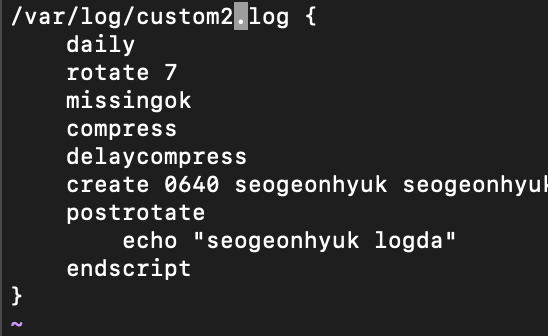
If logrotate is using the same method I thought, it will move the custom2.log file and then output echo “seogeonhyuk logda”.
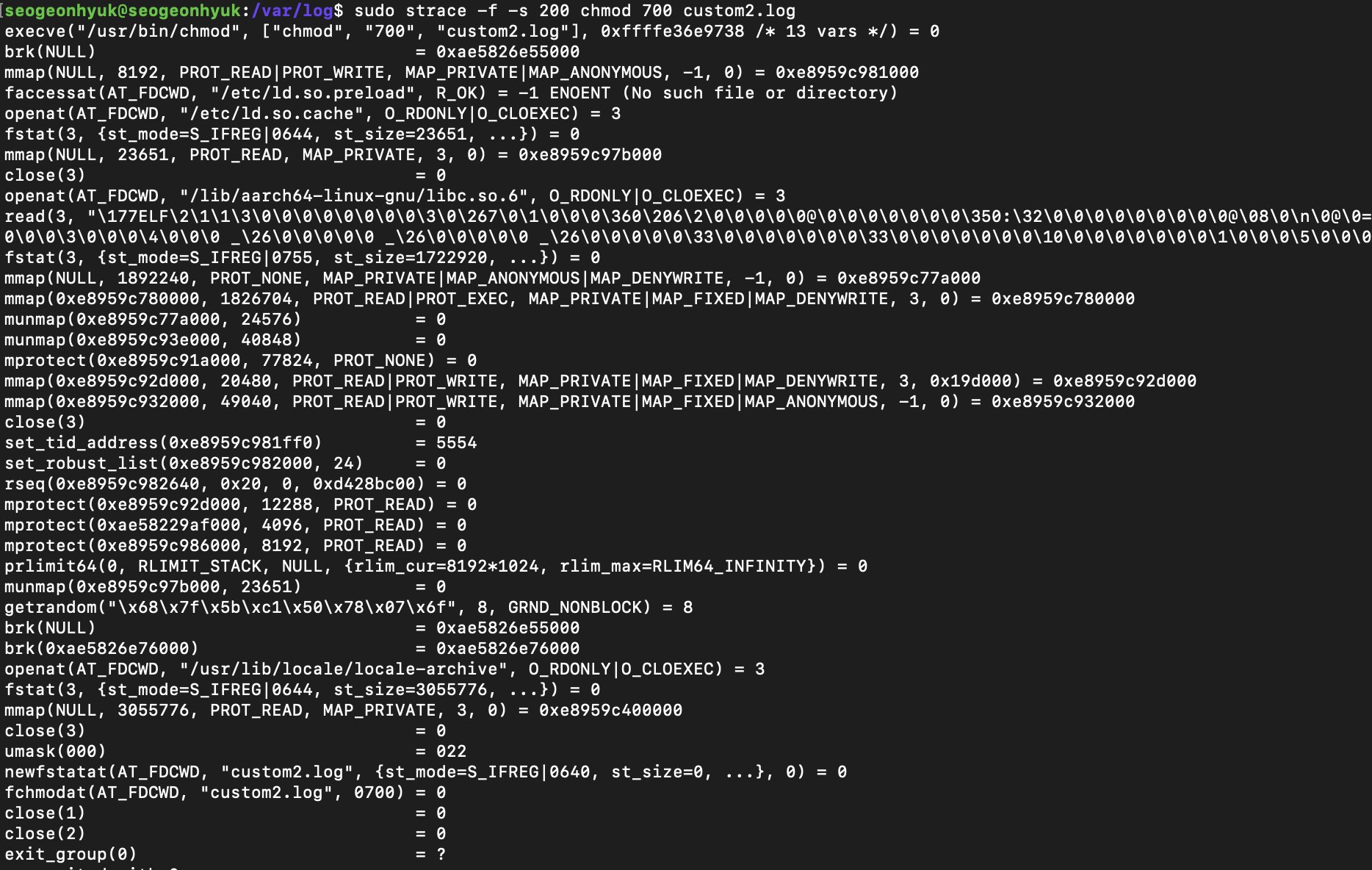
For reference, if you analyze echo “seogeonhyuk logda” with strace, you get the following:
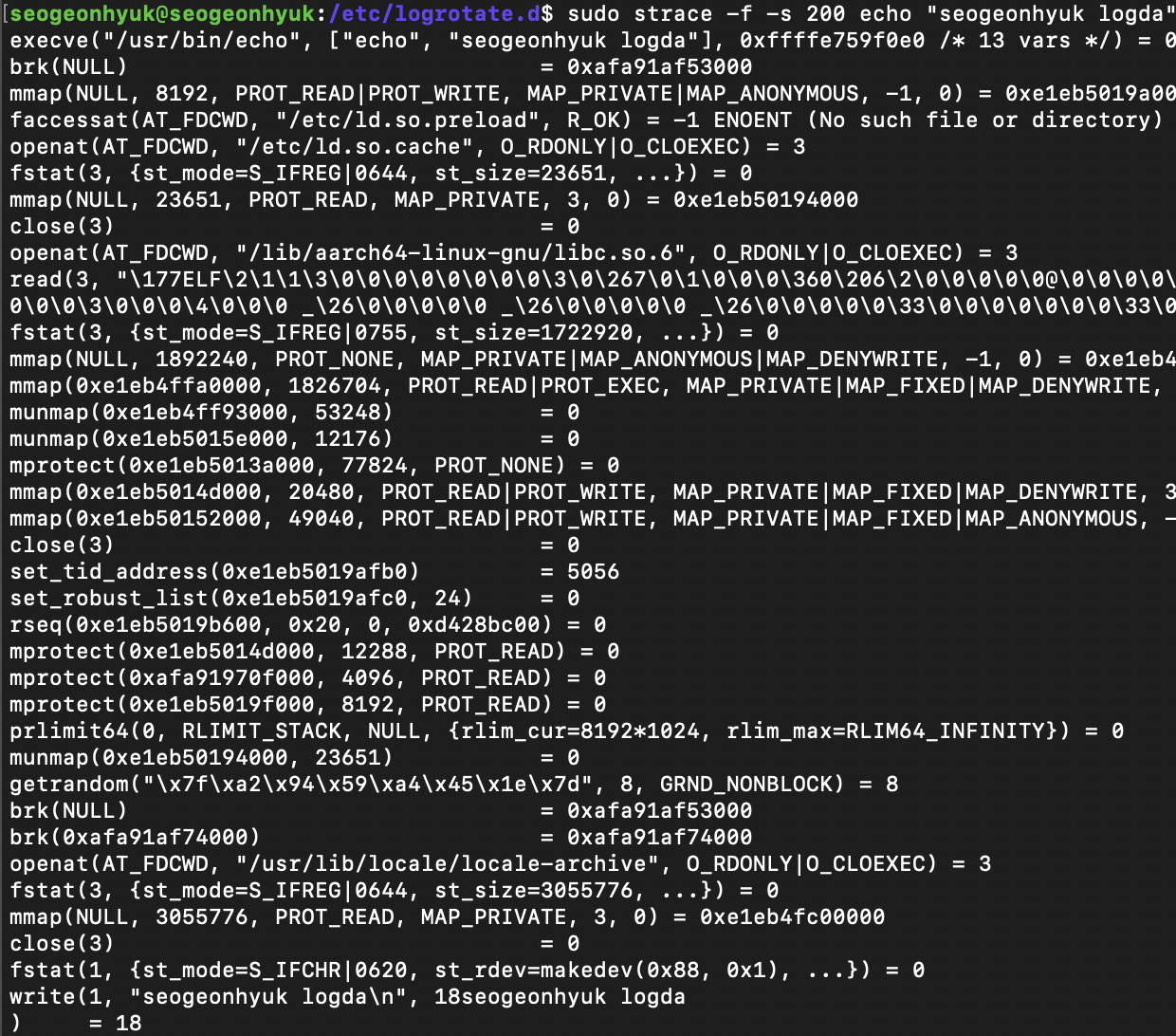
If you look at the write at the very end, you can see that it writes a message called seogeonhyuk logda to fd 1 (stdout).
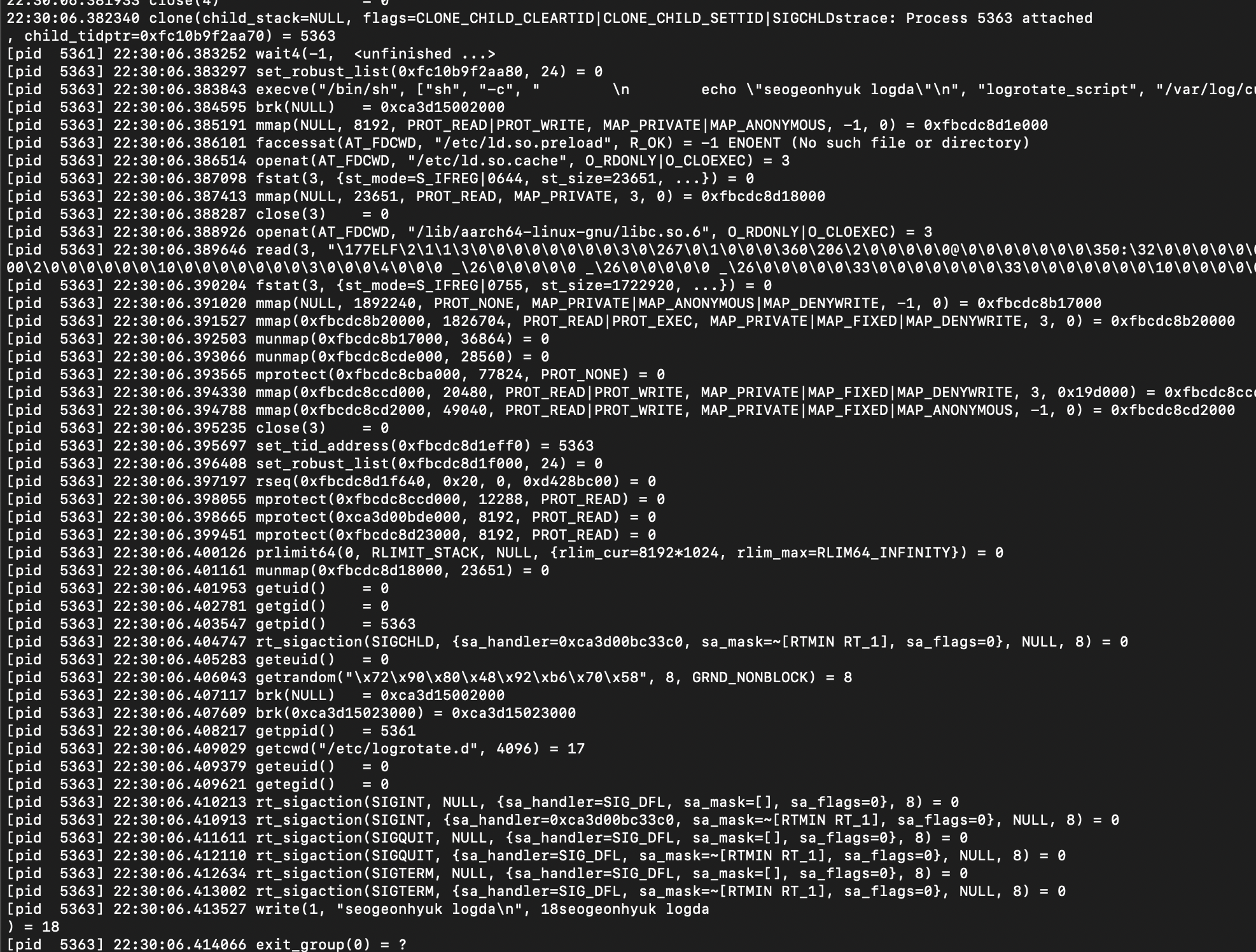
Then, the hypothesis verification method for logrotate is simple. If the rename system call → write(1, “seogeonhyuk logda”) system call is shown in chronological order, it means that it does mv and then mysqladmin flush-logs when applied to the MySQL situation, which means that it maintains continuous logs.
I checked it myself.
# -f Option to trace to forked child processes
# -tt Option leave a timestamp down to milliseconds
# -s Option increase the maximum displayed length of the string (default 32)
sudo strace -f -tt -s 200 logrotate -f /etc/logrotate.d/custom-log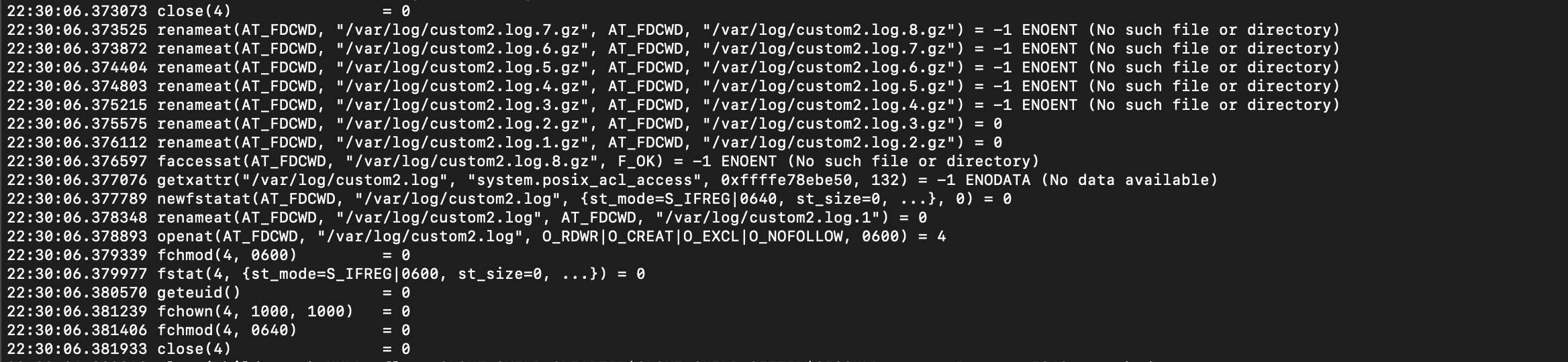
If you check, you can see that we first moved custom2.log to custom2.log.1 using the rename system call, and then set the permissions according to chmod (fchmod is a system call for chmod).
You can see that a new process is forked and the last forked process calls write(1, “seogeonhuk logda”).
Conclusion
I used strace to confirm that logrotate accumulates without interruption, so I decided to just implement it using logrotate. I had wanted to try strace before, and it was a good experience to be able to use it in such a simple way.
Helpful Resources
strace 사용법 - OS - 한국오라클사용자그룹
strace 유사 유틸 1. 명령어 실행을 트레이스 하기 2. -e 옵션을 사용해 특정 system call 트레이스 3. -o 옵션을 사용해 트레이스 내용을 파일로 저장하기 4. -p 옵션을 사용해 특정 프로세스를 선택해서
www.koreaoug.org
https://8thlight.com/insights/dtrace-even-better-than-strace-for-os-x
DTrace: [Even Better Than] Strace for OS X | 8th Light
strace is awesome [1] [2] [3]. It lets you see exactly what system calls are being made by your running application. Wondering what configuration files the framework looks for? Want to know why the remote connection is hung up? strace can help... if...
8thlight.com
https://poweruser.blog/using-dtrace-with-sip-enabled-3826a352e64b
Using dtrace with SIP enabled
A workaround for using dtrace on a remote Mac where you can’t disable System Integrity Protection.
poweruser.blog
https://m.blog.naver.com/ncloud24/220942273629
Logrotate를 이용한 로그파일 관리
Logrotate란? - 로그로테이트(logrotate)란 로그를 저장하고 관리하는 도구입니다. 기본적으로 cron 데몬...
blog.naver.com